nProtectFakeOut

A mobile security solution that detects mobile phishing apps, unauthorized apps, remote control, and suspicious transaction environments to help prevent damage from voice phishing and hacking.

Product Overview

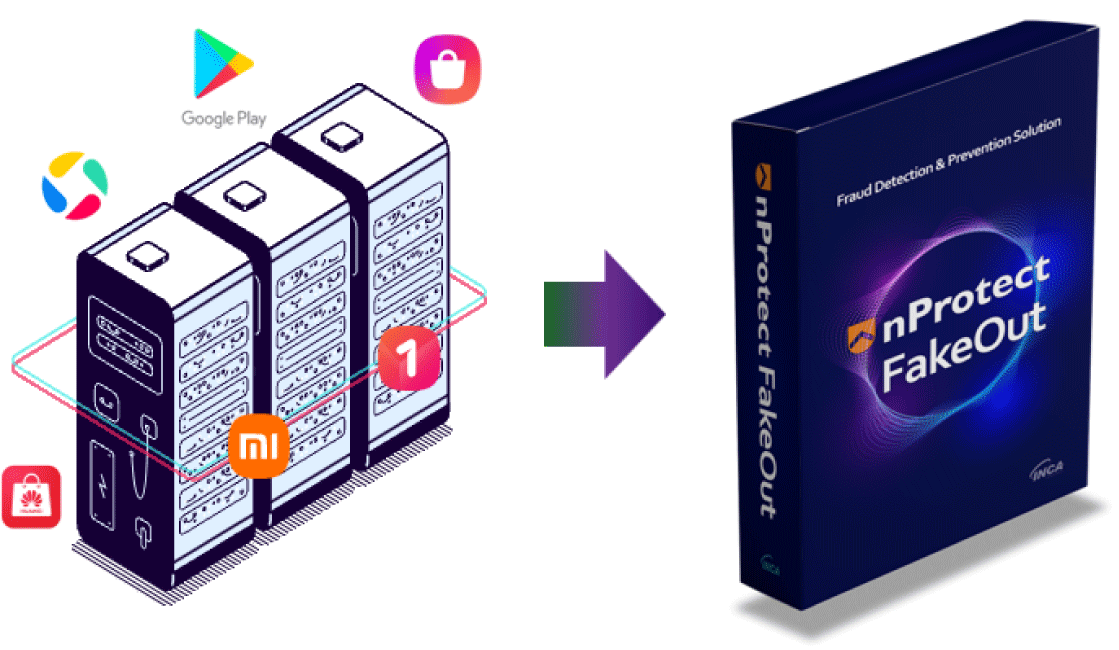
Mobile security solution that blocks malicious apps in advance based on the official market whitelist

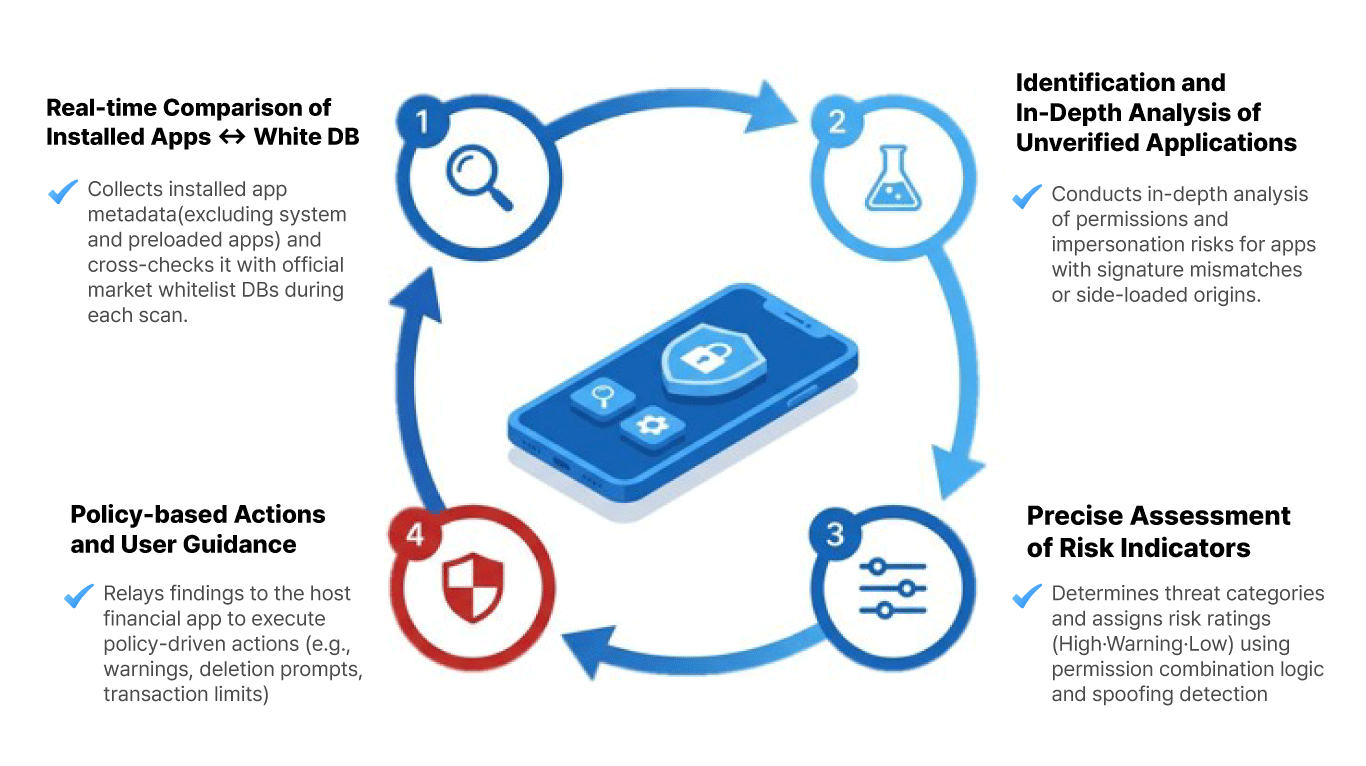
nProtect FakeOut is based on whitelist and app risk analysis based on official app market standards. It protects users from the risk of financial fraud by detecting phishing apps, unauthorized apps, and remote control environments.
nProtect FakeOut
Key features

Key features

Phishing app detection

  • Similarity analysis and impersonation app detection
  • In-depth analysis of installation paths and patterns
  • Immediate detection alerts

Unauthorized app detection

  • App store registration verification against White DB
  • Integrity violation identification
  • Risk-based response process

Remote environment detection

  • Remote app screen-sharing detection
  • Analysis of multiple anomaly indicators
  • High-risk transaction detection and alerts

Transaction environment assessment

Assessing anomaly indicators at the time of a transaction helps prevent security incidents involving financial apps.

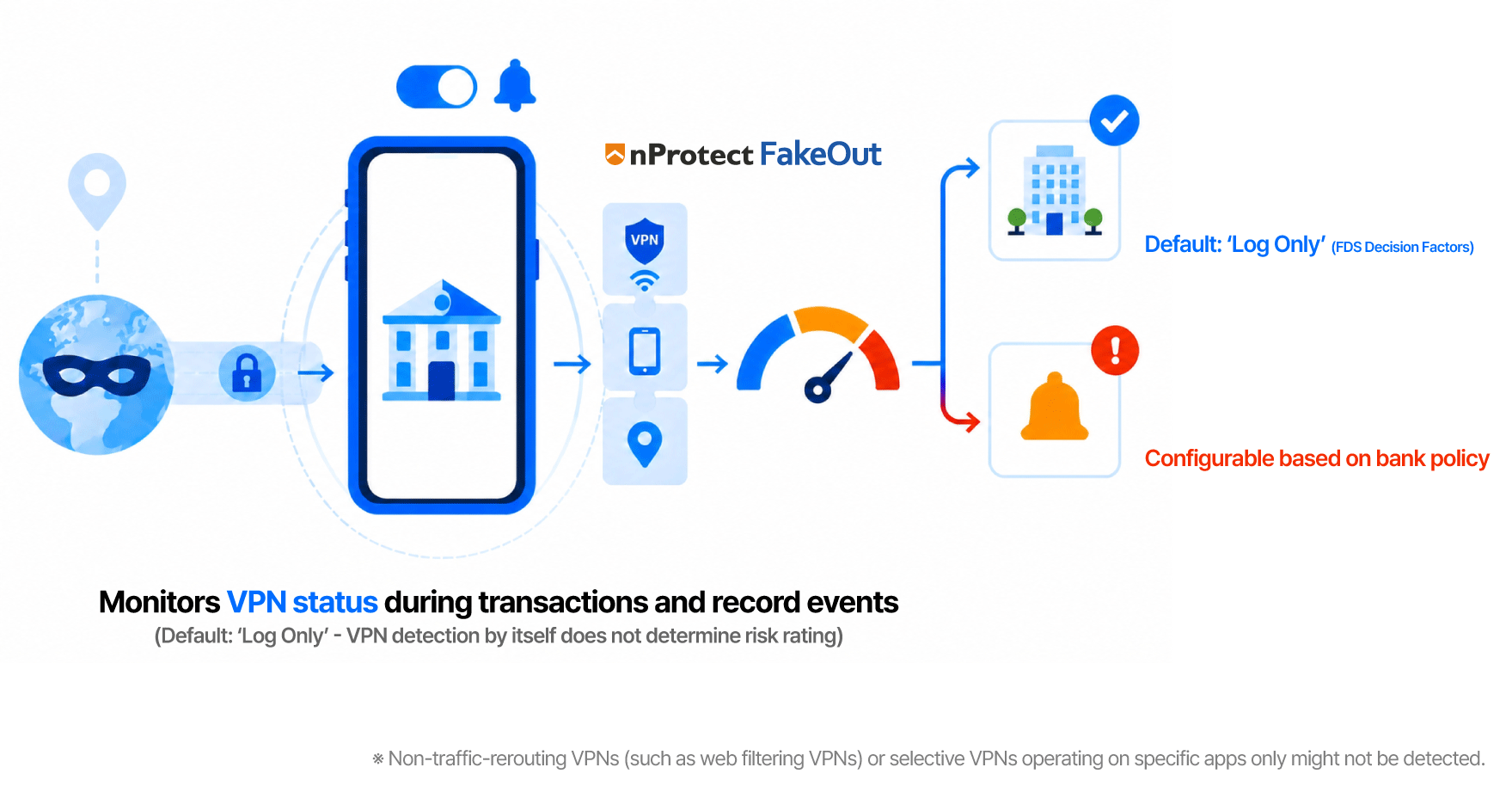
VPN detectionView full-size image — VPN detection (opens in a new tab) ↗
Records VPN usage at the time of a transaction and sends it to the FDS as an input for assessing potentially fraudulent transactions, including concealed connection locations.
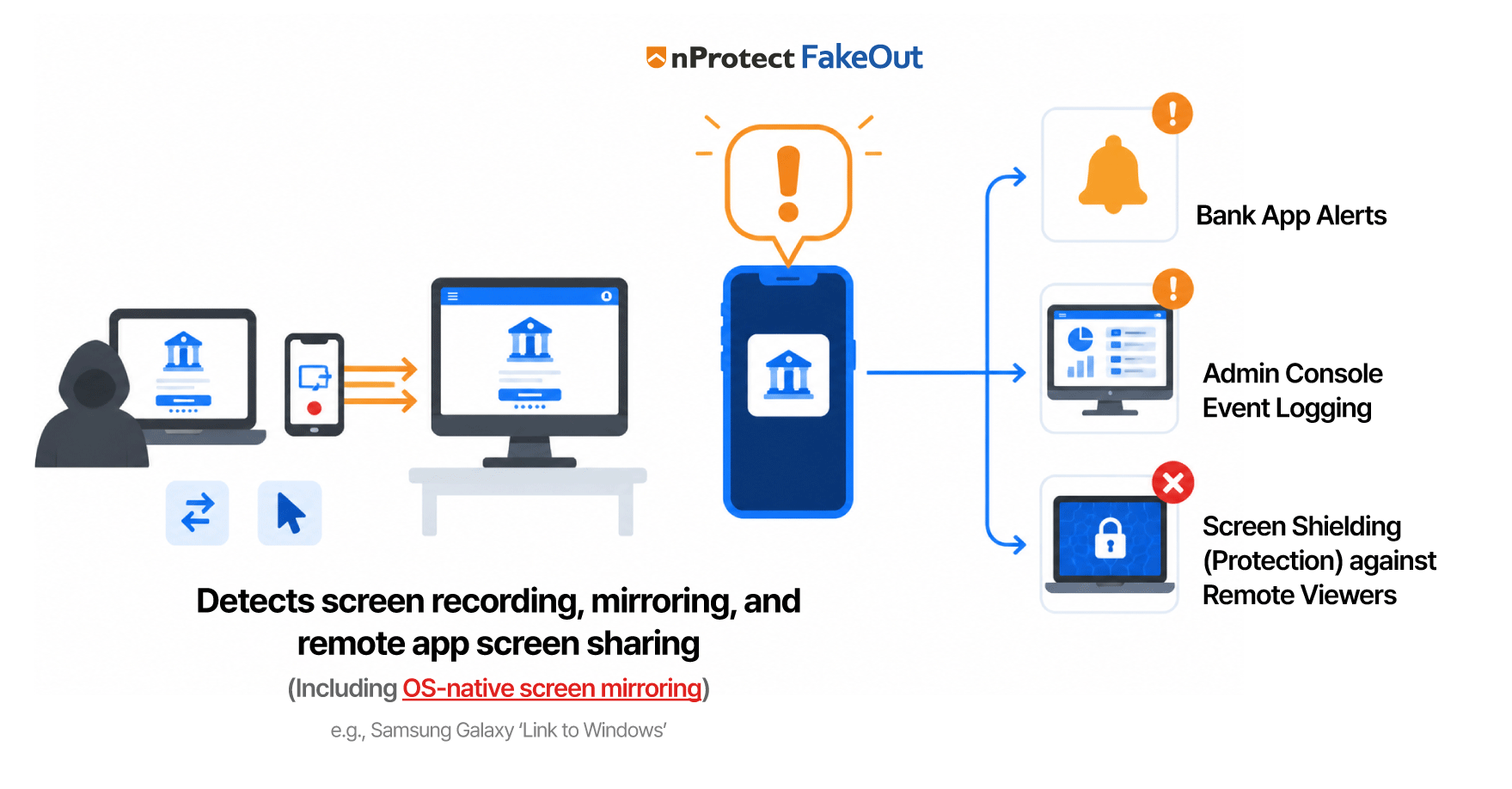
Screen recording, mirroring, and remote app screen-sharing detectionView full-size image — Screen recording, mirroring, and remote app screen-sharing detection (opens in a new tab) ↗
Detects screen recording, mirroring, remote app screen sharing, and remote control via accessibility features immediately before a transaction to help prevent unauthorized remote-control incidents.
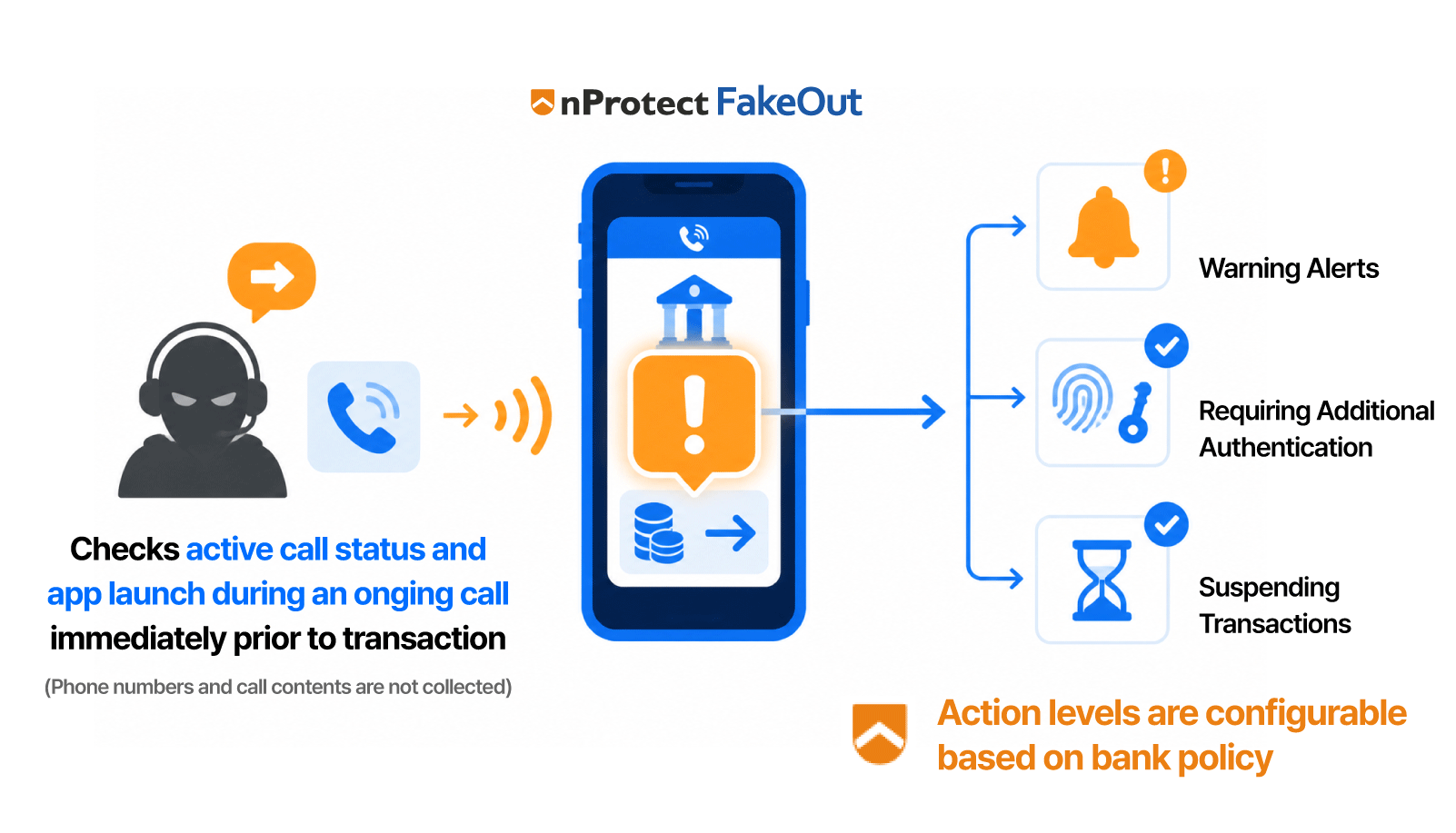
Detection of transfer attempts made through financial apps during callsView full-size image — Detection of transfer attempts made through financial apps during calls (opens in a new tab) ↗
Identifies transfer attempts made through financial apps during calls before the transaction to help prevent voice-phishing losses.

Tiered response

Assessment results are classified into six levels, which the bank can configure by reason in the console.

Tiered response table — scroll horizontally if needed.

Tiered response
LevelAssessment levelAssessment examples (action)
1ProceedNo indicators (proceed with the transaction)
2Log onlyVPN or remote app installed (log only)
3CautionApp used during a call (display a warning)
4ProtectScreen exposure detected (shield the screen)
5Verification requiredScreen exposure / potential remote control detected during a call (request authentication)
6HoldRemote app screen sharing and suspected remote guidance (hold the transaction)

FDS integration

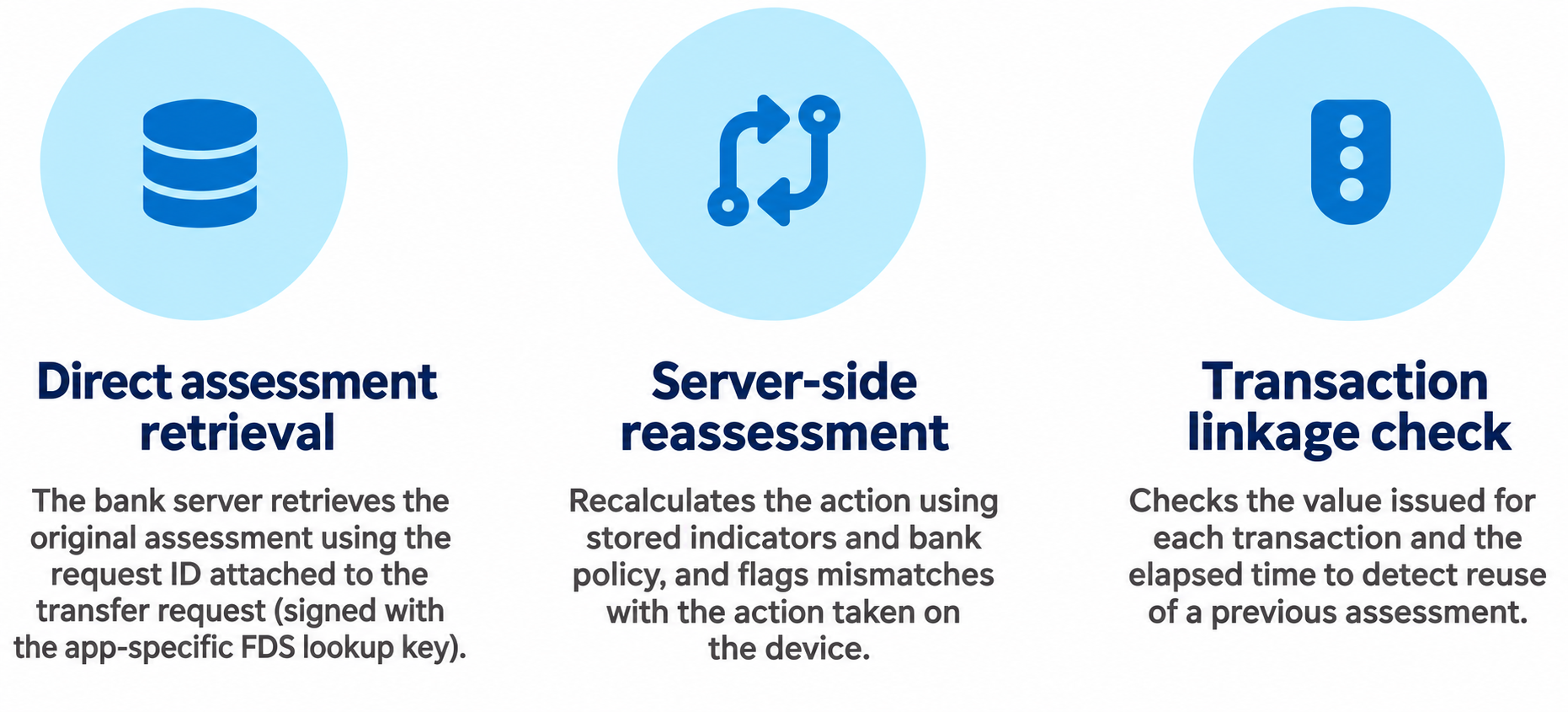
The bank server retrieves the original assessment directly and checks whether results passed through the app have been substituted or previous assessments have been reused.

Direct assessment retrieval: The bank server retrieves the original assessment using the request ID attached to the transfer request (signed with the app-specific FDS lookup key). Server-side reassessment: Recalculates the action using stored indicators and bank policy, and flags mismatches with the action taken on the device. Transaction linkage check: Checks the value issued for each transaction and the elapsed time to detect reuse of a previous assessment.View full-size image — FDS integration (opens in a new tab) ↗
Direct assessment retrieval

The bank server retrieves the original assessment using the request ID attached to the transfer request (signed with the app-specific FDS lookup key).

Server-side reassessment

Recalculates the action using stored indicators and bank policy, and flags mismatches with the action taken on the device.

Transaction linkage check

Checks the value issued for each transaction and the elapsed time to detect reuse of a previous assessment.

Real-time monitoring console

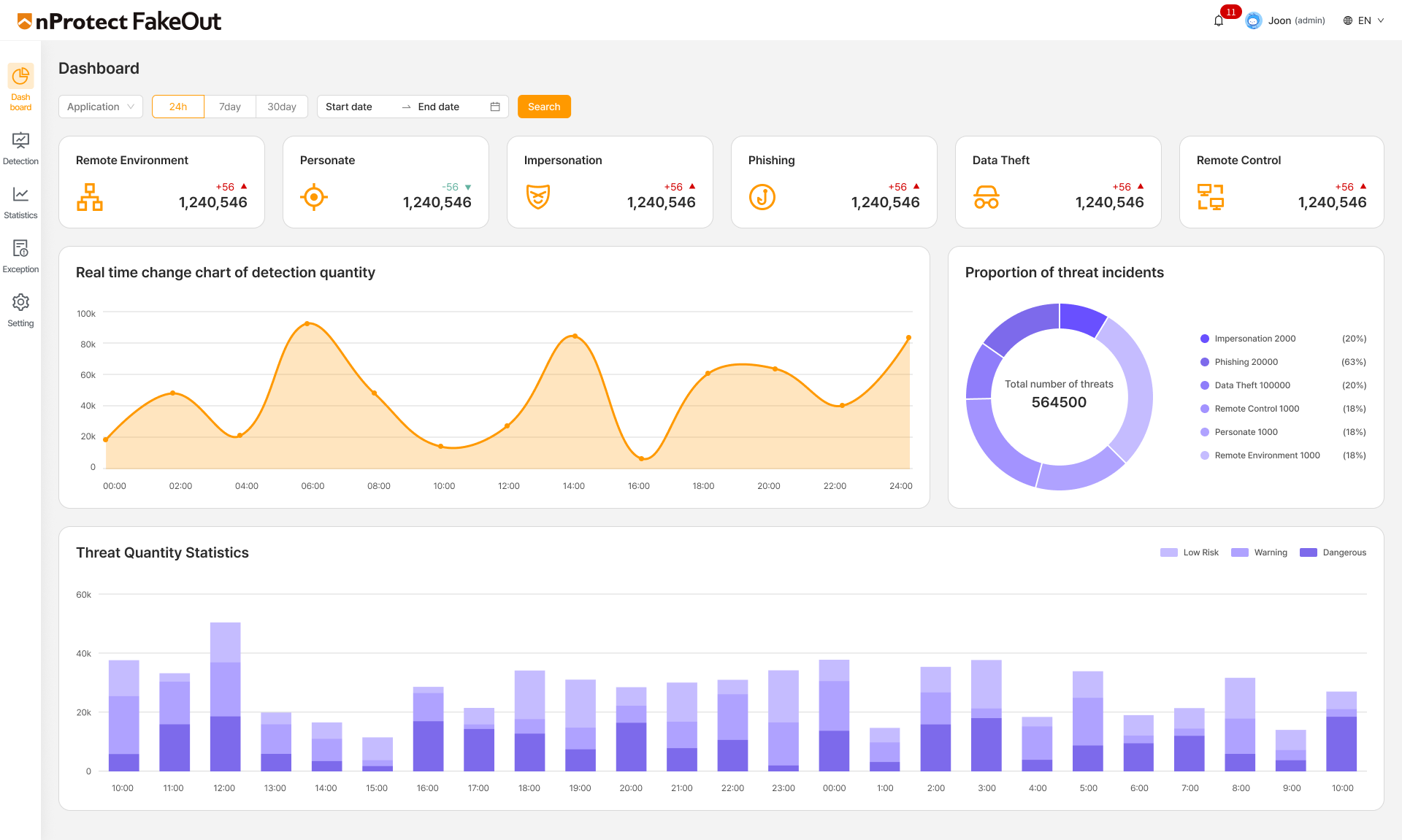
Provides real-time malicious app detection status and statistics to support operational response.

Main dashboard
Main dashboard
  • Real-time detection status and threat statistics
  • App-specific environment policy settings, including exceptions for internal business apps and test apps
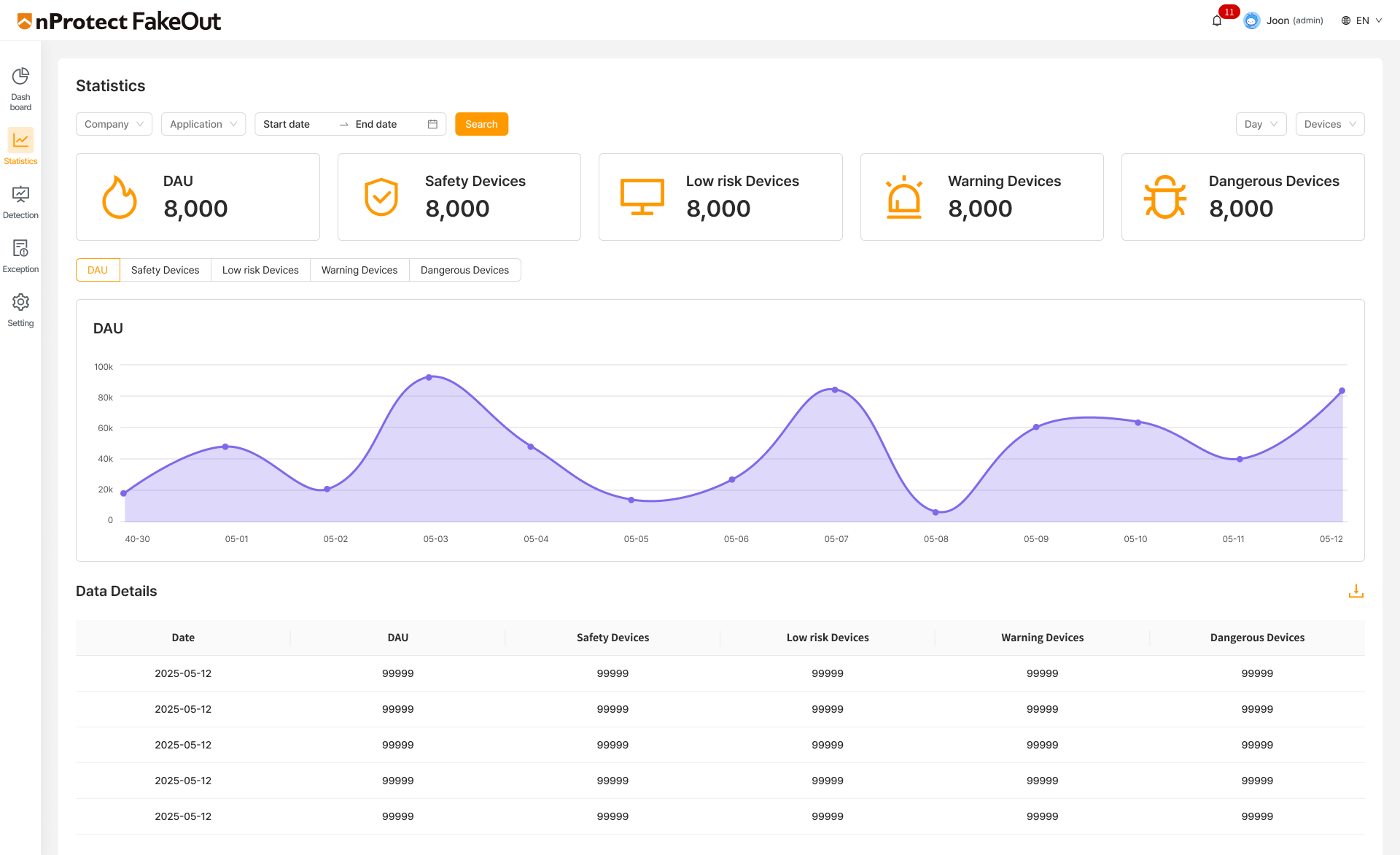
Detailed statistics
Detailed statistics
  • DAU and device classification analysis
  • View daily or monthly statistics by rating and risk type, and export them as CSV files
Strengths and benefits

Strengths

Whitelist-based preventive detection

Verifies the origin of apps installed on the device against an official app store whitelist to detect malicious apps proactively.

Integrated financial fraud risk response

Detects phishing apps, unauthorized apps, and remote-control environments together to address financial fraud scenarios.

Easy integration and deployment

Integrates into existing mobile apps through an SDK to minimize development effort and implementation time.

Operational efficiency and regulatory compliance support

Provides real-time monitoring and categorizes detection results to offer response guidelines aligned with customer policies, supporting compliance with financial-sector security regulations.

Benefits

Maximized preventive effectiveness

Proactive prevention of threats from unknown malware variants and remotely controlled transactions

Brand trust and reliability

Creates value by reducing incident and compensation risks and helping retain users

More efficient security operations

Improves security team efficiency through rapid threat response

System Requirements

System Requirements

Application environment

  • Finance app
  • Public service app
  • Portal/platform app
  • Mobile service for customers

Introduction method

  • Android SDK method Apply
  • Customizing detection policy
  • Real-time monitoring management console connection